.png?width=250&height=58&name=NDT_horiz_reverse%20(2).png)
Within the NDTCO mobile app and desktop platform, you can create NDTCO branded PDF statements on demand for custom date ranges.
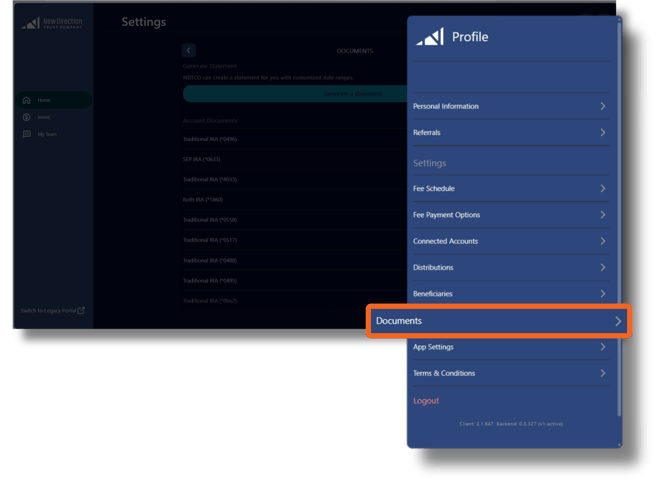
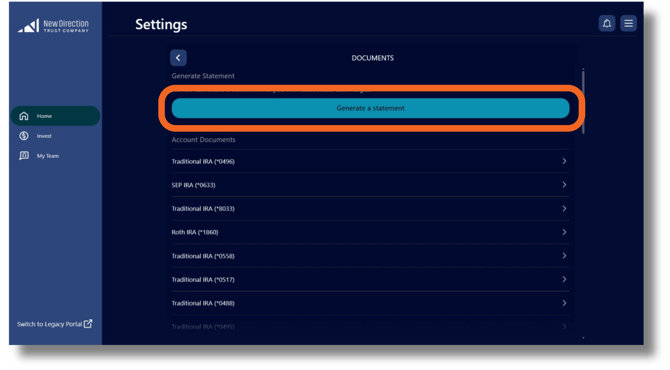
How to find and generate statements:
- Navigate to three bar menu (top right on desktop, top left on mobile) and select Documents .
- Choose Generate a Statement .
- Select the account for statement generation.
- Provide a start and end date for statement period .
- Tap Generate to create PDF .
To find your annual account statement and other account documents:
-
Navigate to the three bar menu (top right on desktop, top left on mobile) and select Documents .
-
Select the appropriate account.
- A list of associated documents will appear, click the document to download.